
Budget Home Studio Setup for TikTok Creators (2026 Guide)
How to build a TikTok home studio on any budget in 2026. Three tiers from $75 to $400 — complete gear lists, setup tips, and what to buy first.


This article contains affiliate links. If you buy through our links, we may earn a small commission at no extra cost to you.
A functional TikTok home studio in 2026 costs $75–150 to put together from scratch. The core three: a phone tripod ($20), a ring light ($45), and a clip-on microphone (~$25–75). Everything beyond that is improvement, not necessity. Over 85% of viral TikTok content is filmed on a smartphone — your phone is already the camera. What separates watchable content from scrolled-past content is stable framing, decent lighting, and clear audio.
Most creators overthink their setup. They imagine a professional studio with soundproofing, broadcast cameras, and thousands of dollars in gear before they post a single video. This is the wrong order of operations.
The right order: post first, upgrade later. Start with the minimum gear that makes your content watchable. Once you're posting consistently and learning what works, spend money on specific upgrades that solve specific problems.
This guide gives you three complete setups — Starter, Solid, and Pro-ish — with real gear recommendations, current Amazon prices, and an honest ranking of what to buy first.
What Your Phone Already Does
Before building anything, understand what you already have.
An iPhone from 2021 or later films 4K at 60fps with optical image stabilization. The camera on a current iPhone, in good light, beats every webcam on the market. Your phone is not the problem.
The problem is almost always one of three things:
- Unstable framing — phone propped on a book, held in one hand, or shaky
- Bad lighting — overhead room lights that cast shadows down your face, or dim rooms that make footage look grainy
- Poor audio — built-in mic picking up room noise, echo, or distance distortion
A $75–150 investment solves all three.
What to Buy First (Priority Order)
If you can only spend on one thing, this is the order that matters most:
1. Microphone (biggest impact on viewer retention) Bad audio causes immediate scroll-aways. Viewers tolerate shaky video. They do not tolerate audio that's hard to understand.
2. Tripod (baseline stability) Stable framing is table stakes. It's also the cheapest fix.
3. Ring light (consistent look) Lighting matters, but it's third. You can film in front of a window during the day for free and get excellent light. Lighting gear becomes essential when you film at night or in a windowless room.
Tier 1: The Starter Kit (~$65–80 total)
This is the minimum viable TikTok setup. Three pieces of gear that eliminate the three most common problems.

Tripod: SENSYNE 62" Phone Tripod (~$20)
Full-height adjustable tripod with Bluetooth remote. Reaches standing height. Eliminates the "phone propped against a mug" problem permanently. The Bluetooth remote means you start recording without running back and reaching past yourself.
Lighting: UBeesize 10" Selfie Ring Light (~$20–25)
For close-up desk content (face fills most of the frame, phone within 18 inches), the 10-inch ring light delivers. Clips onto the tripod or a surface. For standing content with distance between you and the phone, step up to the NEEWER 18" in Tier 2.
Microphone: PowerDeWise Wired Lav (~$25)
The most affordable genuine audio upgrade. Clip it to your shirt, connect to your iPhone with a 3.5mm adapter. Audio quality improvement over the built-in mic is immediate and noticeable — particularly in rooms with any background noise.
Tier 1 total: ~$65–70
What this setup produces: stable, well-lit, clearly-audible content. Every beginner problem solved. You can start posting immediately.
Tier 2: The Solid Setup (~$175–200 total)
Same three categories, better gear. The jump from Tier 1 to Tier 2 is the most impactful upgrade — moving from "clearly amateur" to "clearly intentional."

Tripod: TONEOF 68" Magnetic Selfie Stick Tripod (~$35)
Taller than Tier 1 (68 vs 62 inches), includes a MagSafe-compatible magnetic mount for iPhone 12+ users. Also converts to a selfie stick for outdoor or walking shots. The magnetic snap-on is noticeably faster than adjusting a clamp mount.
Lighting: NEEWER RL-18 18" Ring Light Kit (~$45–60)
This is the ring light with 65,000+ Amazon reviews and a 4.7-star rating. The 18-inch size produces enough output for standing content — your face and upper body are lit evenly at 3–5 feet distance. Comes with a 61-inch stand, phone holder, and carrying bag. Your phone mounts in the center of the ring.
Microphone: DJI Mic Mini (~$75)
Wireless freedom changes how you film. The DJI Mic Mini transmitter clips to your shirt; the receiver plugs into your iPhone via USB-C or Lightning. No pairing, no app, no cables running to the phone. Audio quality is noticeably better than any wired lav in this price range. Built-in 14-hour backup recording on the transmitter means you never lose audio even if the connection drops.
Tier 2 total: ~$155–170
What this setup produces: content that looks intentionally produced. The ring light's circular catchlight in your eyes, the wireless mic with no visible cables, the height-adjustable stand — these signal professionalism to viewers even if they can't name what they're seeing.
Tier 3: The Pro-ish Setup (~$375–425 total)
Adding two more elements: a second light source to eliminate flat ring-light shadows, and a webcam for Mac desk-based recording.
Everything in Tier 2, plus:
Second Light: NEEWER 2-Pack LED Video Light Panel (~$70–90)
A single ring light produces flat, even illumination — which is clean and professional but can look two-dimensional. A second light source placed at 45° to the side (a "key light" and "fill light" setup) adds dimensionality to your face and background.
Two small LED panels at $70–90 for the pair are the cheapest way to add this. One acts as the key light, one fills shadows from the opposite side. The result is the kind of lighting you see on polished YouTube channels and professional interviews.
Webcam: OBSBOT Meet 2 4K (~$99)
Only relevant if you also record desk-based content from a Mac (tutorials, screen recordings, courses, video podcasts). The OBSBOT Meet 2 outputs true 4K with AI auto-framing — it tracks you when you move. If all your content is filmed on iPhone, skip this entirely.
Tier 3 total: ~$320–360
What this setup produces: content indistinguishable in production quality from creators with much larger budgets. The two-light setup, wireless mic, and professional ring light form a complete studio-quality filming environment.
The Complete Gear Overview
| Category | Tier 1 (~$70) | Tier 2 (~$165) | Tier 3 (~$340) |
|---|---|---|---|
| Tripod | SENSYNE 62" (~$20) | TONEOF 68" Magnetic (~$35) | Same as Tier 2 |
| Lighting | UBeesize 10" (~$22) | NEEWER RL-18 18" (~$55) | NEEWER 18" + 2x LED panel (~$145) |
| Microphone | PowerDeWise Wired Lav (~$25) | DJI Mic Mini wireless (~$75) | DJI Mic Mini (~$75) |
| Webcam | — | — | OBSBOT Meet 2 (~$99) |
Background Setup: The Forgotten Element
Gear improves your technical quality. Your background affects the narrative quality — what your space says about you.
Three approaches:
1. Clean, real environment. Tidy your room or office, put something relevant behind you (books, plants, relevant props), and film in your actual space. Authentic, personal, works for most content styles.
2. Solid color backdrop. A solid-colored seamless backdrop ($20–40 on Amazon) removes all background distraction and puts 100% of visual focus on you. Popular with educators and tutorial creators.
3. Artificial bokeh / background blur. Most modern iPhones and portrait-capable webcams can blur the background in-app. This looks good in well-lit conditions and masks cluttered backgrounds, but looks artificial in low light.
The worst option: visible bedroom clutter, unmade bed, or an obviously messy desk. These are the backgrounds that make viewers undervalue your content before you've said anything.
Sound Treatment: The Upgrade Nobody Talks About
A $2 fix that outperforms a $200 microphone in echo-heavy rooms: blankets and soft furnishings.
Hard walls, bare floors, and bare desks create echo that no microphone can fix. You can hear it in recordings — that reverb-y quality that makes speech sound like it was recorded in a bathroom.
Before spending money on a better mic:
- Hang a blanket behind or beside you
- Add a rug if filming in a hard-floor room
- Film in a room with a couch, curtains, or bookshelves (all absorb sound)
- Close the door
These changes reduce echo-cancellation demands on your microphone and dramatically improve perceived audio quality in any space.
Editing Your Studio Content
Once you have good footage from a proper setup, the editing workflow determines how much time you spend per video.
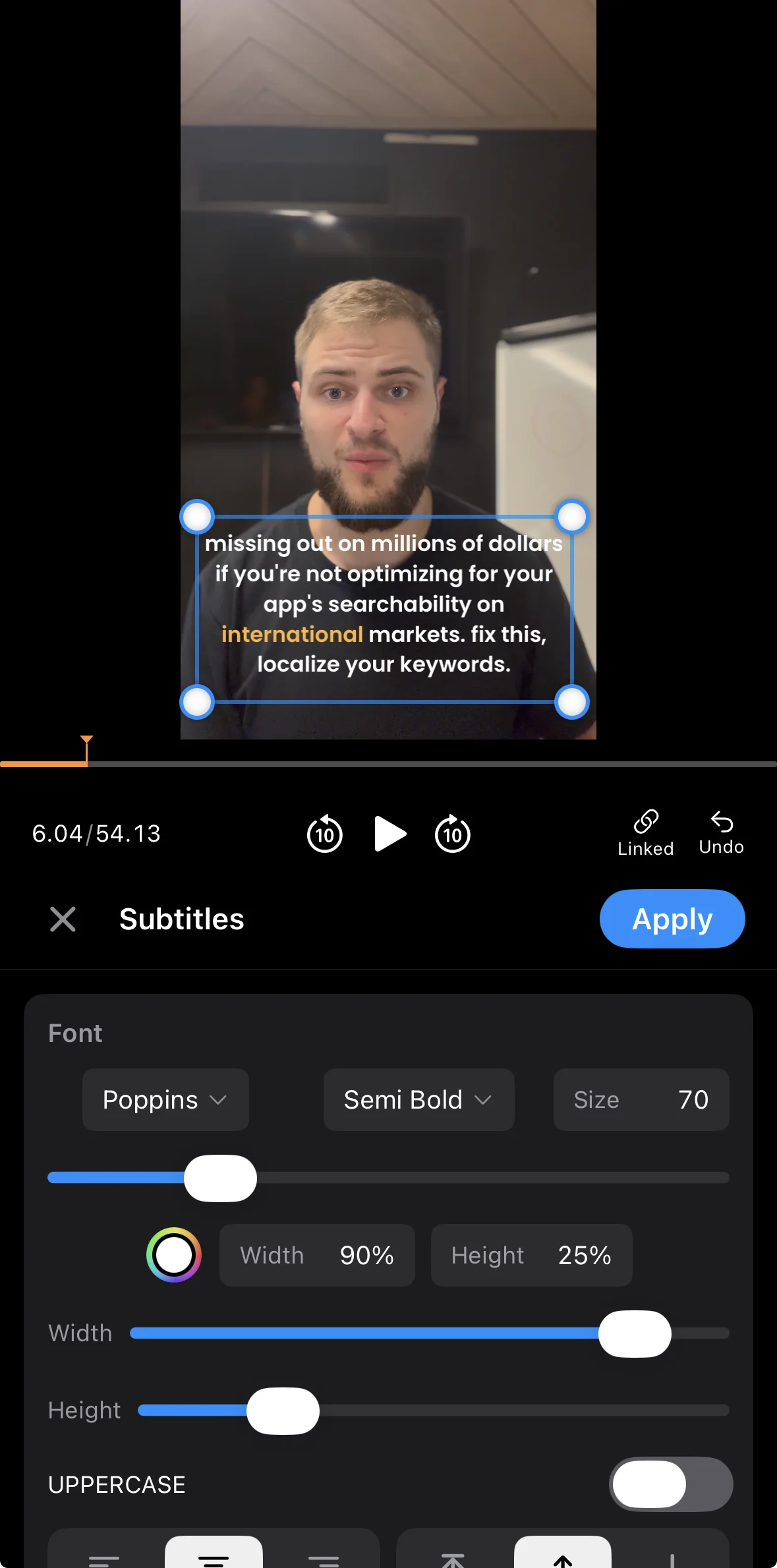
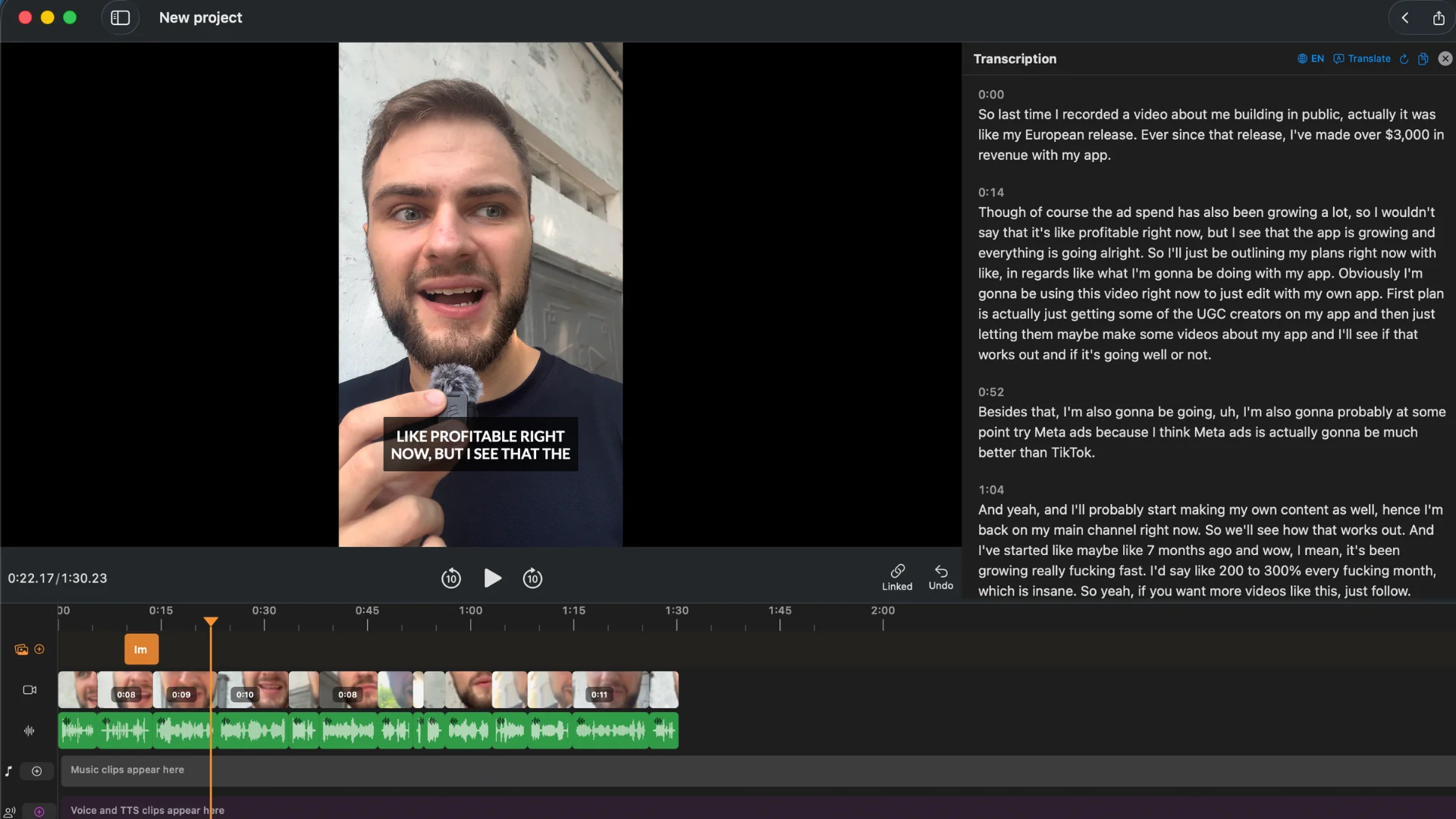
BlitzCut on Mac and iPhone handles the stages that take the most time:
- Silence removal: Dead air between sentences cut automatically in one tap
- Filler word removal: "Um," "uh," "you know" visible in transcript — select and delete
- Auto-captions: Styled captions generated and burned in for social export
- Vertical export: 9:16 export for TikTok, Reels, and Shorts in one click
A Tier 2 setup filming a 10-minute video + BlitzCut editing typically takes 15–25 minutes from raw footage to published clip. For a creator posting 3–5 times per week, that's the difference between editing being sustainable and editing being a second job.
Learn more: Video Editing Workflow for Beginners on Mac
Frequently Asked Questions
How much does a TikTok home studio setup cost?
A functional TikTok home studio costs $65–80 for a starter kit (tripod ~$20, 10" ring light ~$22, wired lav mic ~$25). A solid upgrade setup runs $155–170 (68" magnetic tripod ~$35, 18" NEEWER ring light ~$55, DJI Mic Mini wireless ~$75). A professional-quality setup with two lights and a 4K webcam is $320–360.
What do I need to start making TikTok content?
To start making TikTok content, you need: your smartphone (already a capable camera), a phone tripod to stabilize your shots ($20), a microphone for clear audio ($25–75), and adequate lighting ($20–60 or a window with good natural light). Everything else improves quality incrementally — these three solve the most visible problems.
Is a ring light necessary for TikTok?
A ring light is not necessary if you film during daylight hours facing a window. Natural window light is often better than a ring light. A ring light becomes necessary when you film at night, in a room with poor natural light, or when you need consistent lighting regardless of weather or time of day.
What's the most important piece of TikTok gear?
A microphone is the highest-priority gear purchase for most TikTok creators. Viewers forgive mediocre lighting and camera quality, but immediately disengage with poor audio. Bad audio — echoing, muffled, noisy — is the top reason creators fail to hold viewer attention past the first few seconds.
Can I use my iPhone as my TikTok camera?
Yes. Your iPhone is the camera. The gear recommendations in this guide are tripod (to hold the phone stable), lighting (to make the footage look good), and microphone (for audio quality). No separate camera is needed — the iPhone outperforms most creator-budget cameras for short-form video.
Gear sorted, editing next: BlitzCut AI removes silence and adds auto-captions to your TikTok content. Edit 10 minutes of footage in under 5 minutes. Try it free.
Complete gear guides:
- Best Microphone for YouTube Shorts and Reels
- Best Ring Light for TikTok Creators
- Best iPhone Tripod for TikTok
- Best Lavalier Mic for TikTok
- Best Webcam for Content Creators on Mac
Last Updated: May 21, 2026 Category: Gear & Equipment Topic: Budget TikTok Home Studio Setup
Post every day without spending hours editing
BlitzCut is a native app for iPhone, iPad, and Mac. Get from raw footage to TikTok-ready in under 2 minutes, so editing is never the reason you didn't post.
Try it for freeRelated Articles
Keep Reading

Best Adobe Premiere Rush Alternatives (2026): Where to Go Before It Shuts Down
Premiere Rush support ends September 30, 2026. The best alternatives for Mac, iPhone and Android — including Adobe's own replacement — and how to migrate.

Best AI Clipping Tools, Rated by What Users Actually Say (2026)
Best AI clipping tools compared on independent user reviews, billing complaints, and pricing: Vizard, OpusClip, Klap, Quso, and BlitzReels. Plus OpusClip alternatives.

Best AI Video Editor for iPhone (2026): 8 Apps Ranked
The best AI video editor for iPhone and iOS in 2026: 8 apps ranked by captions, silence removal, speed, and price for TikTok, Reels, and Shorts.