
How to Post Every Day Without Burning Out (2026 Creator Workflow)
Most creators burn out because they lack a system, not willpower. Batch recording and AI editing let you post daily without it becoming a second job.


Posting every day doesn't burn you out. Deciding what to do every day burns you out. The creators who post consistently aren't working harder — they've eliminated the daily decision-making that drains everyone else. Batch recording, template systems, and AI-assisted editing reduce a full day of content work to a few focused hours once or twice a week. The rest is scheduling.
A 2025 study found that 52% of full-time creators have experienced burnout directly from their content work. The number rises to 62% when part-time creators are included. The common thread: daily production pressure, not output volume.
The system below fixes that.
Why Daily Posting Feels Impossible
Before the system, name the actual problem.
Daily posting fails because of decision fatigue, not lack of time. Every day requires:
- What do I make today?
- What's the hook?
- What format — talking head, b-roll, text overlay?
- Do I have time to film right now?
- Is the lighting good right now?
- What do I post it as?
Each of these is a small decision. Compounded over 30 days, it becomes exhausting. Research on cognitive load shows that humans have a finite daily capacity for decisions — the more minor choices you make, the worse your judgment gets on the ones that actually matter.
The solution: eliminate as many of those daily decisions as possible in advance.
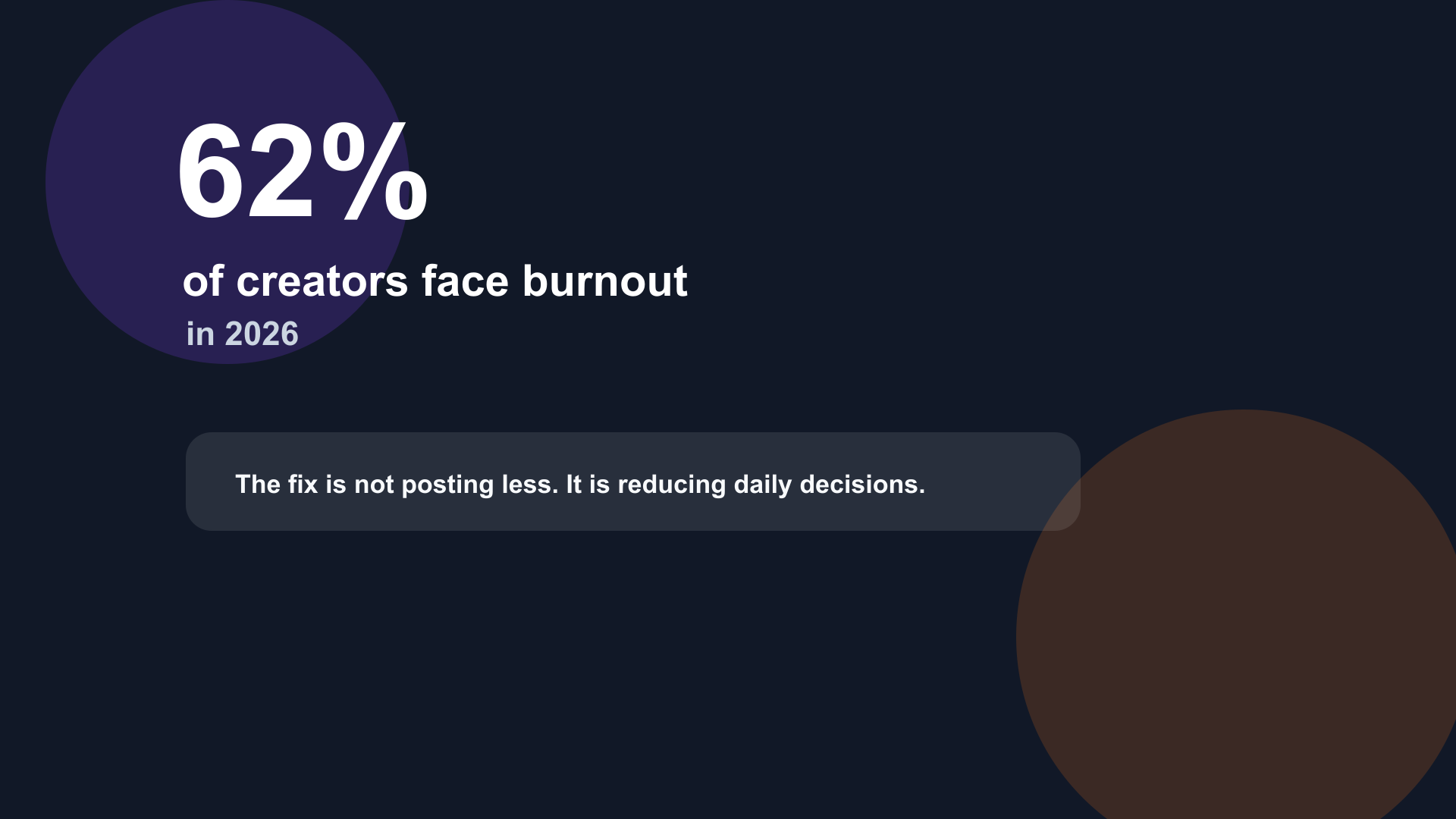
Over half of active creators report burnout. The cause is rarely output volume — it's the daily decision loop that compounds into exhaustion.
The Core Principle: Make Once, Distribute Many
The daily posting model that burns creators out looks like this:
Film → Edit → Caption → Post → Film → Edit → Caption → Post...
Every step is done every day. Every day starts from zero.
The sustainable model looks like this:
Film 6× on Sunday → Edit all 6 on Monday → Schedule all 6 → Done for the week
Same output. Completely different cognitive experience.
Step 1: Batch Record (2–4 hours, once per week)
Batching is the most impactful single change you can make to a daily posting schedule. Instead of filming one video per day, you film all the week's content in one session.
Why batching works:
Once your setup is done — lights positioned, background clean, microphone connected, camera framed — the marginal cost of recording one more video is 10–15 minutes. If you broke down your setup after each one, you'd spend 30–45 minutes on setup and teardown alone, every single day.
Batching amortizes that setup cost across 6–8 videos at once.
A realistic batch filming day:
| Time | Activity |
|---|---|
| 30 min | Outline 6–8 video topics |
| 20 min | Setup: lighting, tripod, mic check, background |
| 2–3 hours | Record 6–8 videos (15–25 min each with retakes) |
| 15 min | Break, water, reset energy |
| 20 min | Teardown, file transfer to Mac |
Total: ~3–4 hours. Output: 6–8 pieces of raw content.
How many to batch: Most creators who post 5–7 days per week batch once a week. Some batch twice a month and produce 12–14 videos per session. Start with one week's worth and adjust.
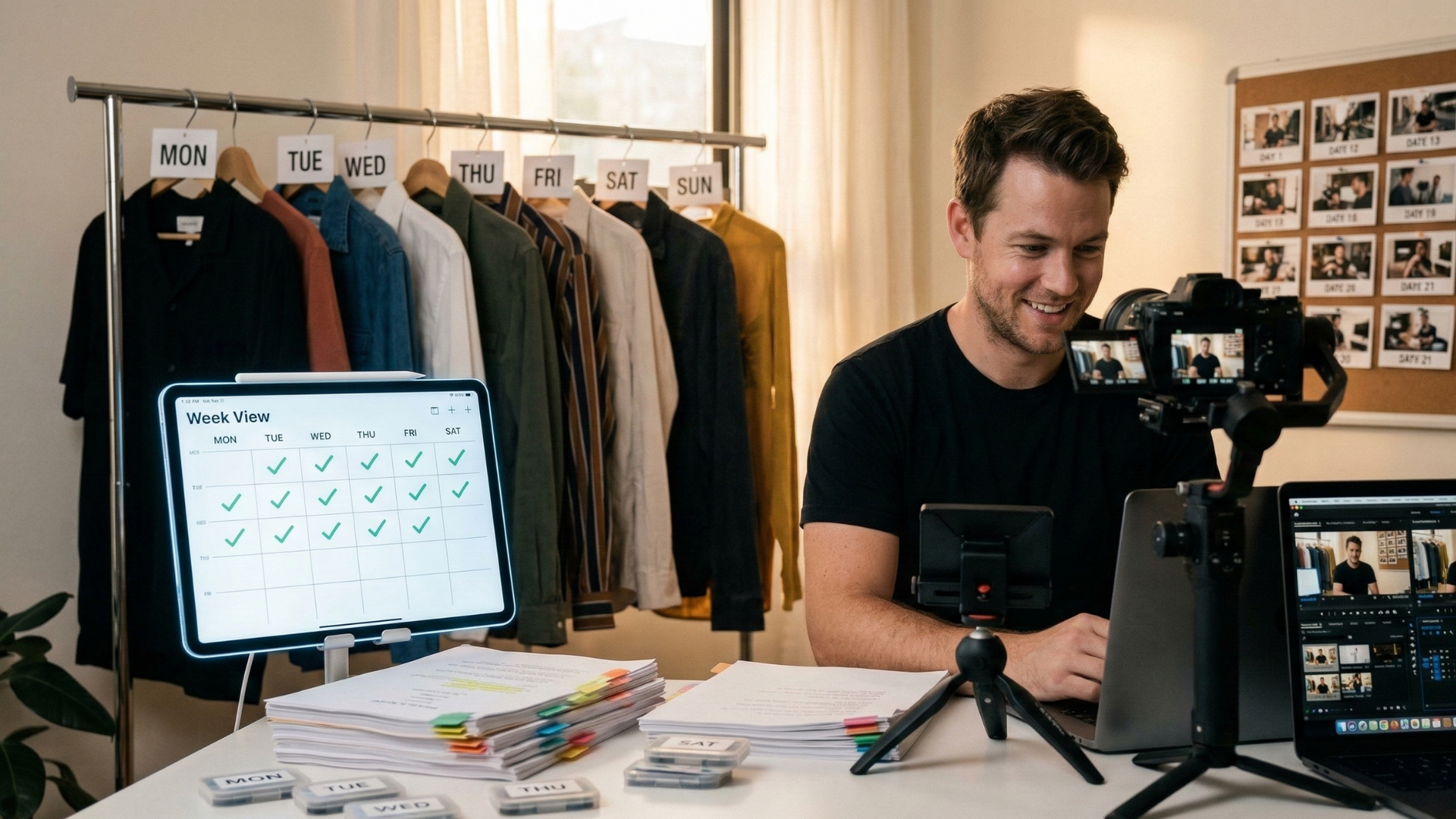
Batch filming: one setup, multiple videos. Setup and teardown cost is paid once instead of daily.
Step 2: Build a Content Template System
Decisions killed before each video = energy saved.
A content template defines the structure of your video format in advance so you're not reinventing it each time.
Example template for a 60-second educational TikTok:
[0–3 sec]  Hook — state the problem or make a claim
[3–8 sec]  Promise — "In 60 seconds, here's how to fix it"
[8–45 sec] Main content — 3 key points, one each
[45–55 sec] Recap — "So remember: X, Y, Z"
[55–60 sec] CTA — "Follow for more like this"
With this template, your only creative decision is the topic and the hook. The structure handles itself.
Maintain a topic bank. Keep a running list of 30–50 video ideas at all times. When inspiration strikes mid-week — a question from a follower, a conversation that gave you an idea, something you read — add it immediately to the list. On batch filming day, pull from the list. You'll never stare at a blank page.
A simple Notes app, Notion page, or even a voice memo works. The tool doesn't matter; the habit of capturing ideas when they arrive does.
Step 3: AI-Assisted Editing (15–30 min per video)
Manual editing is the second-biggest time sink after daily decision-making. If batch filming is the structural fix, AI editing is the speed fix.
The three tasks that eat the most editing time for talking head content:
- Silence removal — scrubbing the timeline for every dead air moment
- Filler word removal — listening for every "um" and "uh" to cut manually
- Captions — typing, timing, and styling subtitles frame by frame
All three are now automatable.
The fast editing stack for talking head content:
BlitzCut on Mac or iPhone handles all three in sequence:
- Import → silence removal runs automatically on-device
- Review transcript → select and delete filler words by text
- One-tap caption generation → karaoke or clean style
- Export vertical (9:16) for TikTok, Reels, Shorts
For a 10-minute talking head video, this workflow runs 15–30 minutes end-to-end. For a 60-second short, closer to 5–10 minutes.
At under $6/month billed annually, it's one of the cheapest purpose-built tools in this category. It's not the only option — Descript, CapCut, and Gling.ai cover similar ground — but for Mac and iPhone creators focused on talking-head output, the on-device silence removal and transcript workflow is fast.
What AI editing does for your weekly schedule:
| Editing approach | Time per video | 6 videos/week |
|---|---|---|
| Manual timeline editing | 60–120 min | 6–12 hours |
| AI silence + manual captions | 30–45 min | 3–4.5 hours |
| AI silence + transcript edit + AI captions | 15–30 min | 1.5–3 hours |
The third row is the sustainable path. 1.5–3 hours of editing for a full week of content.
Step 4: Schedule Everything in Advance
After editing, don't post immediately. Schedule.
Every major platform — TikTok, Instagram, YouTube, LinkedIn — has a native scheduling feature in 2026. Third-party tools like Buffer, Later, and Metricool allow scheduling across platforms from one dashboard.
Batch-schedule on the same day you edit:
- Edit all 6 videos in one sitting
- Schedule all 6 with captions, hashtags, and descriptions in the same session
- Walk away. The week is done.
Scheduling eliminates the daily "I have to post something today" pressure. The content is queued. It goes out automatically. You don't have to think about it.
Optimal posting times by platform (2026):
| Platform | Best time (general) |
|---|---|
| TikTok | 6–10am, 7–9pm in audience timezone |
| Instagram Reels | 7–9am, 11am–1pm |
| YouTube Shorts | 9am–11am |
| 8–10am Tuesday–Thursday |
These are starting points — your own analytics will show better times specific to your audience within 4–6 weeks of consistent posting.
Step 5: Create a "Minimum Viable Post" Standard
One reason creators burn out is perfectionism. Every video is judged against an imagined ideal, and anything less than perfect feels like failure.
Define a "minimum viable post" standard:
- Audio is clear
- No dead silence longer than 1 second
- Captions are on
- Video is the right aspect ratio
- Hook is in the first 3 seconds
That's it. If those five things are true, the video goes out. Viral videos break these rules regularly. Polished production doesn't predict performance on short-form platforms — hooks, relevance, and consistency do.
Posting consistently at MVP quality outperforms posting perfectly, infrequently, every time.
Step 6: Protect Recovery Time
Sustainable daily posting requires protecting time where you're not making content.
Creators who post every day and never step back don't burn out slowly — they hit a wall suddenly. Building in explicit off-time prevents accumulation.
Two approaches that work:
1. The 5+2 model. Post 5 days, rest 2. Use batch editing to queue your 5 posts across 2–3 hours, then fully disengage for 2 days. No filming, no editing, no checking analytics.
2. The month-on buffer model. Always have 30 days of content batched and scheduled in advance. If you need a week off for travel, illness, or mental health, the content keeps going. You're not racing to produce tomorrow's post while sick.
A one-month content buffer is achievable: film 30 pieces across 4–5 batch sessions over a month, edit with AI tools, schedule across the month, then maintain by batching a week's worth each week.
The Full Weekly System
For a creator posting 5–7 days per week:
| Day | Activity | Time |
|---|---|---|
| Sunday | Batch record 6–8 videos | 3–4 hours |
| Monday | Edit all 6–8 with AI tools | 2–3 hours |
| Monday | Write captions, hashtags, schedule all posts | 1 hour |
| Tue–Sat | Nothing. Content goes out automatically | 0 hours |
| Ongoing | Add ideas to topic bank as they come | 5 min/day |
Total active content work: ~6–8 hours per week for daily posting. Not 6–8 hours per day.
What to Do When the System Breaks
Life interrupts. Sick weeks happen. Travel kills filming days. The system still protects you if you've built a buffer.
When you fall behind:
- Film short, simple content. A 30-second talking head video takes 15 minutes total (5 to film, 10 to edit). A week of content at this format = 1.5 hours.
- Repurpose existing content. Old long-form into short clips, old clips with updated captions, roundups of past content.
- Give yourself permission to post less. Missing 2–3 days is recoverable. Burning out and going dark for 3 months is not. Protect the long-term consistency over the short-term streak.
Frequently Asked Questions
Does posting every day actually help your growth?
Consistency helps more than volume. Posting every day at MVP quality beats posting twice a week with elaborate production, on most short-form platforms. The algorithms reward regular signals, and the more frequently you post, the more feedback you get on what resonates. That said — if daily posting is actively harming your quality or wellbeing, a sustainable 4–5 day schedule beats an unsustainable 7-day one.
How do creators who post every day edit that fast?
AI editing. The manual editing workflow — scrubbing silence, finding fillers, typing captions — genuinely takes 1–3 hours per video. AI tools that automate silence removal, filler word detection, and caption generation reduce that to 15–30 minutes per video. Batch-editing 6 videos in a single sitting further reduces per-video overhead.
What should I batch film first — topics or format?
Format first, then topics. Decide your content template (the structure of each video) before you decide what to say in each one. Once the template is fixed, video creation becomes filling in blanks rather than designing from scratch every time.
How long should batch filming sessions be?
2–4 hours is sustainable for most creators. Beyond 4 hours, fatigue starts affecting performance on camera — energy drops, you start over-scripting to compensate, and the footage feels flat. Two sessions of 3 hours produce better content than one session of 6 hours.
Can I batch edit and still sound spontaneous on camera?
Yes. Scripted-feeling content usually comes from over-scripting, not from batching. The fix is recording from bullet-point outlines (3–5 points per video) rather than word-for-word scripts. Outlines give your content structure without locking you into phrasing that sounds read.
Related: Batch Editing Videos · How to Edit Talking Head Videos Fast · Video Editing Workflow for Daily Posting · How to Batch Record TikTok Videos
Last Updated: May 22, 2026 Category: Creator Workflow
Post every day without spending hours editing
BlitzCut is a native app for iPhone, iPad, and Mac. Get from raw footage to TikTok-ready in under 2 minutes, so editing is never the reason you didn't post.
Try it for freeRelated Articles
Keep Reading

Best Adobe Premiere Rush Alternatives (2026): Where to Go Before It Shuts Down
Premiere Rush support ends September 30, 2026. The best alternatives for Mac, iPhone and Android — including Adobe's own replacement — and how to migrate.

Best AI Clipping Tools, Rated by What Users Actually Say (2026)
Best AI clipping tools compared on independent user reviews, billing complaints, and pricing: Vizard, OpusClip, Klap, Quso, and BlitzReels. Plus OpusClip alternatives.

Best AI Video Editor for iPhone (2026): 8 Apps Ranked
The best AI video editor for iPhone and iOS in 2026: 8 apps ranked by captions, silence removal, speed, and price for TikTok, Reels, and Shorts.