
Social Video Specs 2026: Shorts, Reels & TikTok Dimensions
Video specs for YouTube Shorts, Instagram Reels, and TikTok in 2026. Resolution, aspect ratio, max file size, and safe zone dimensions for each platform.


All three major short-form platforms use the same core spec in 2026: 9:16 aspect ratio, 1080×1920 pixels, MP4 format. The differences are in maximum length, file size limits, audio requirements, and safe zone placement. This guide covers every spec you need for YouTube Shorts, Instagram Reels, and TikTok — organic and paid.
Quick Reference: All Platforms (2026)
| Spec | YouTube Shorts | Instagram Reels | TikTok |
|---|---|---|---|
| Aspect ratio | 9:16 (or 1:1) | 9:16 | 9:16 |
| Resolution | 1080×1920 | 1080×1920 | 1080×1920 |
| Max length (organic) | 3 minutes | 90 seconds (Reels shelf) | 10 minutes |
| Min length | 15 sec (recommended) | 3 seconds | 3 seconds |
| Max file size | 256 GB | 1 GB | 287.6 MB |
| Format | MP4, MOV | MP4, MOV | MP4, MOV, AVI |
| Frame rate | 24–60 fps | 23–60 fps | 23–60 fps |
| Audio | Stereo, AAC | Stereo, AAC | Stereo, AAC |
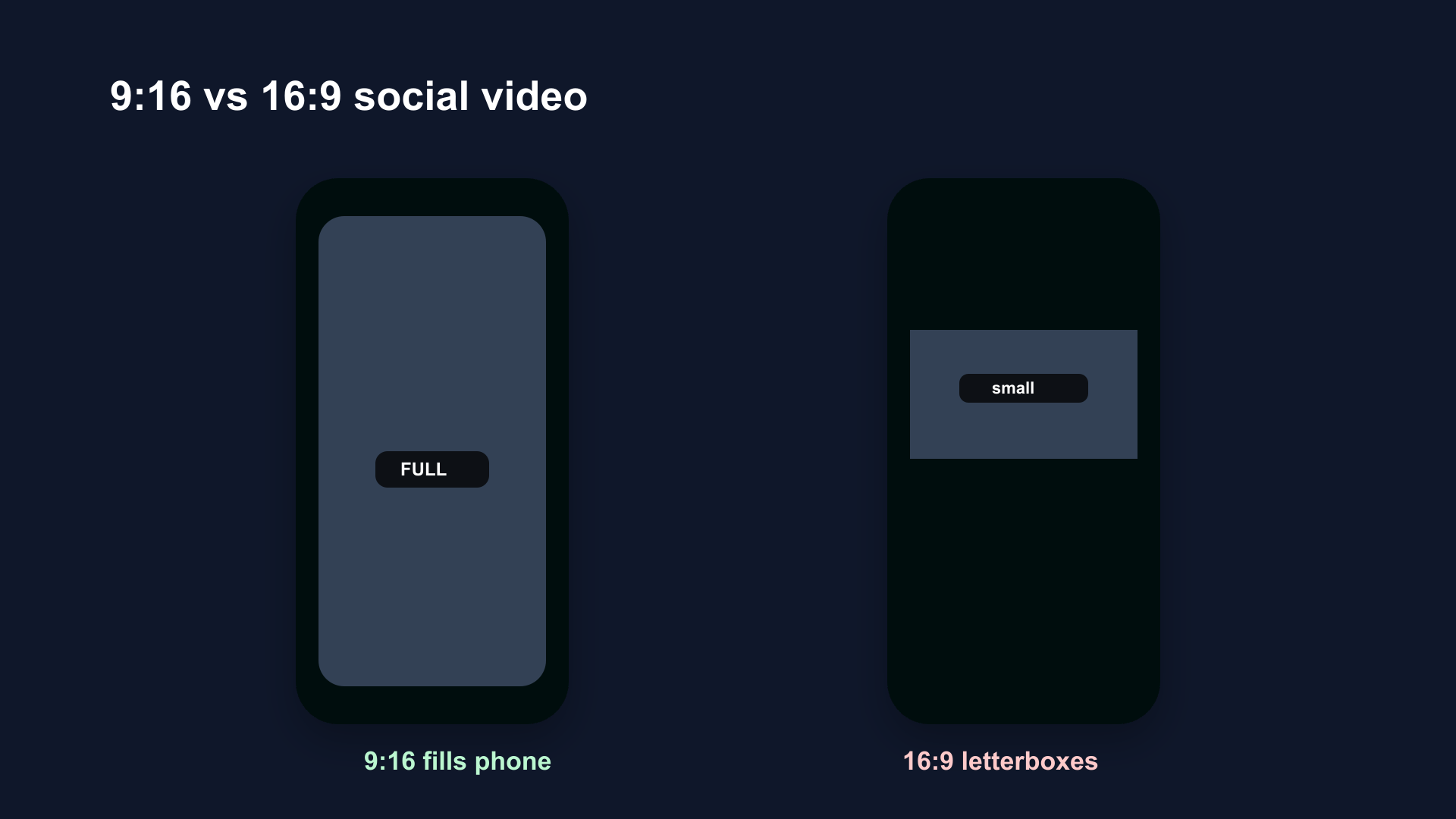
9:16 vertical (left) fills the entire phone screen on TikTok, Reels, and Shorts. 16:9 horizontal (right) plays in letterbox mode — smaller viewing area, significantly worse engagement on all three platforms.
YouTube Shorts Specs (2026)
Video
| Spec | Value |
|---|---|
| Aspect ratio | 9:16 required for Shorts shelf; 1:1 square also works |
| Resolution | 1080×1920 recommended; minimum 720×1280 |
| Max length | 180 seconds (3 minutes) |
| Min length | 15 seconds (below this, Shorts shelf distribution is reduced) |
| Frame rate | 24–60 fps |
| Format | MP4 (preferred), MOV |
| Max file size | 256 GB |
Audio
| Spec | Value |
|---|---|
| Codec | AAC |
| Sample rate | 44.1 kHz recommended |
| Channels | Stereo |
What Makes It a Short
YouTube classifies a video as a Short if it is:
- 3 minutes or under
- Shot in 9:16 (vertical) or 1:1 (square) aspect ratio
A 2-minute horizontal video is not a Short — it goes through standard video distribution. Orientation is as important as length.
Safe Zones for YouTube Shorts
Platform UI covers specific parts of the Shorts player:
- Bottom 20% — subscribe button, username, caption, navigation
- Right edge — like, comment, share buttons
- Safe zone for text/faces — center of frame, roughly 70% width, top 65% of height
Keep all essential visuals and text in the safe zone. Anything near the edges risks being covered by platform UI.
See the full guide: Safe Zone Guide for YouTube Shorts, Reels & TikTok
Instagram Reels Specs (2026)
Video
| Spec | Value |
|---|---|
| Aspect ratio | 9:16 |
| Resolution | 1080×1920 recommended |
| Max length (Reels shelf) | 90 seconds |
| Max length (standard video) | 15 minutes |
| Min length | 3 seconds |
| Frame rate | 23–60 fps |
| Format | MP4, MOV |
| Max file size | 1 GB |
Audio
| Spec | Value |
|---|---|
| Codec | AAC |
| Sample rate | 44.1 kHz |
| Channels | Stereo |
Reels Shelf vs. Standard Video
Videos up to 90 seconds appear on the Reels shelf, Reels tab, and Explore. Videos over 90 seconds are classified as standard video — they appear in the feed but don't get Reels-specific distribution.
For maximum reach: stay under 90 seconds.
Safe Zones for Instagram Reels
- Bottom 35% — username, caption, audio info, action buttons
- Right edge — like, comment, share, audio buttons
- Safe zone for text/faces — center frame, top 55–60% of height
Instagram's UI overlay is taller than TikTok's. Keep faces and text away from the bottom third of the frame.
Instagram Reels for Ads (Meta Ads)
| Spec | Value |
|---|---|
| Aspect ratio | 9:16 |
| Resolution | 1080×1920 minimum |
| Max length | 60 seconds (recommended); up to 15 min possible |
| Max file size | 4 GB |
| Format | MP4, MOV |
TikTok Specs (2026)
Organic Video
| Spec | Value |
|---|---|
| Aspect ratio | 9:16 (vertical preferred); 1:1, 16:9 also work |
| Resolution | 1080×1920 recommended |
| Max length | 10 minutes |
| Min length | 3 seconds |
| Frame rate | 23–60 fps |
| Format | MP4, MOV, AVI, WebM |
| Max file size | 287.6 MB |
Audio
| Spec | Value |
|---|---|
| Codec | AAC |
| Sample rate | 44.1 kHz |
| Channels | Stereo |
TikTok Video Ads
| Spec | Value |
|---|---|
| Aspect ratio | 9:16 (required for In-Feed ads) |
| Resolution | 1080×1920 minimum |
| Max length | 60 seconds (recommended); up to 10 min |
| Min length | 5 seconds |
| Max file size | 500 MB |
| Format | MP4, MOV, AVI |
Safe Zones for TikTok
- Bottom 25% — username, caption, sounds, action buttons
- Right edge — like, comment, share, profile buttons
- Safe zone for text/faces — center frame, roughly top 60–65% of height
TikTok's UI is less invasive than Instagram's but the caption area at the bottom is larger. Keep subtitles and key visuals out of the bottom quarter.
Cross-Platform Posting: One File for All Three
Since all three platforms use the same base spec (9:16, 1080×1920, MP4), one export file works across all three. The practical considerations:
Remove watermarks. TikTok watermarks get detected and suppressed by Instagram and YouTube. Export clean files for cross-posting. BlitzCut exports without any watermark.
Respect length differences. A 2-minute TikTok can be a YouTube Short. It can't be a Reels-shelf Reel (90-second cap). Trim for Reels or let it post as standard video.
Safe zone differences matter. A safe-zone layout optimized for TikTok may not work perfectly on Instagram Reels — Instagram's bottom UI is taller. Design for Instagram's safe zone and it'll look correct on all platforms.
Recommended Export Settings (All Platforms)
If you're exporting manually from an editing app:
| Setting | Value |
|---|---|
| Format | MP4 (H.264) |
| Resolution | 1080×1920 |
| Frame rate | 30 fps (matches most capture; smooth on all platforms) |
| Video bitrate | 8–16 Mbps (higher = better quality, larger file) |
| Audio codec | AAC |
| Audio bitrate | 192 kbps |
| Color space | sRGB or Rec. 709 |
BlitzCut handles all of this automatically — exports in 9:16, 1080×1920, no watermark, optimized for all three platforms.
Captions: Platform Differences
All three platforms support burned-in captions (embedded in the video file) and platform-native captions (generated by the platform after upload).
Burned-in captions (recommended):
- Visible everywhere, even if platform caption feature is off
- Consistent style across platforms
- Required for cross-platform consistency
Platform-native captions:
- Only visible on that platform
- Style is platform-dependent
- Instagram and TikTok have improved their auto-caption tools, but quality varies
For cross-platform posting: burn captions into the video file. BlitzCut generates AI captions and burns them into the export automatically.
Frequently Asked Questions
What resolution should I use for YouTube Shorts, Reels, and TikTok?
1080×1920 pixels (Full HD vertical). All three platforms display at this resolution on modern devices. Uploading at this resolution ensures no quality loss from upscaling.
Are the video specs the same for all three platforms?
Nearly identical for core specs: 9:16, 1080×1920, MP4. Differences are in max length, file size limits, and safe zone placement.
Can I use the same video for YouTube Shorts, Instagram Reels, and TikTok?
Yes, with caveats: remove watermarks, respect the 90-second Reels shelf limit, and design safe zones for Instagram (most restrictive UI overlay).
What frame rate should I use for social video?
30 fps works best across all platforms. 60 fps is supported and looks smoother for action content, but 30 fps is the standard for talking-head and educational content.
What's the max TikTok video length for ads?
60 seconds is the recommended maximum for TikTok In-Feed ads. Up to 10 minutes is technically supported, but shorter ads perform better.
What's the max Instagram Reels length for ads?
Up to 60 seconds is recommended for Meta ads using Reels format. Longer is technically possible, but 15–60 seconds performs best for ad delivery.
Related Guides
- Safe Zone Guide for YouTube Shorts, Reels & TikTok — where UI covers your content
- YouTube Shorts Length 2026 — the 3-minute limit explained
- Best Instagram Reels Length for Reach in 2026 — length strategy for Reels
- How Long Should TikTok Videos Be? — TikTok length strategy
- TikTok Video Length Limits 2026 — maximum length for uploads, in-app, Stories, and ads
- How to Export Vertical Video on Mac — export settings walkthrough
Post every day without spending hours editing
BlitzCut is a native app for iPhone, iPad, and Mac. Get from raw footage to TikTok-ready in under 2 minutes, so editing is never the reason you didn't post.
Try it for freeRelated Articles
Keep Reading

Best Adobe Premiere Rush Alternatives (2026): Where to Go Before It Shuts Down
Premiere Rush support ends September 30, 2026. The best alternatives for Mac, iPhone and Android — including Adobe's own replacement — and how to migrate.

Best AI Clipping Tools, Rated by What Users Actually Say (2026)
Best AI clipping tools compared on independent user reviews, billing complaints, and pricing: Vizard, OpusClip, Klap, Quso, and BlitzReels. Plus OpusClip alternatives.

Best AI Video Editor for iPhone (2026): 8 Apps Ranked
The best AI video editor for iPhone and iOS in 2026: 8 apps ranked by captions, silence removal, speed, and price for TikTok, Reels, and Shorts.